Ask a small MSP owner what eats their Sunday evening and many will say invoicing: reconciling tickets, time entries and recurring agreements across two systems that never quite agree. Syncro was built around the idea that the RMM and the PSA should be the same product, so that the alert, the ticket, the time and the invoice all live in one record. Whether that single system saves as much time as it promises is worth testing through a full billing cycle: a disk-space alert becoming a ticket, the ticket collecting time, and the time landing on an invoice without leaving the platform.
What Syncro does
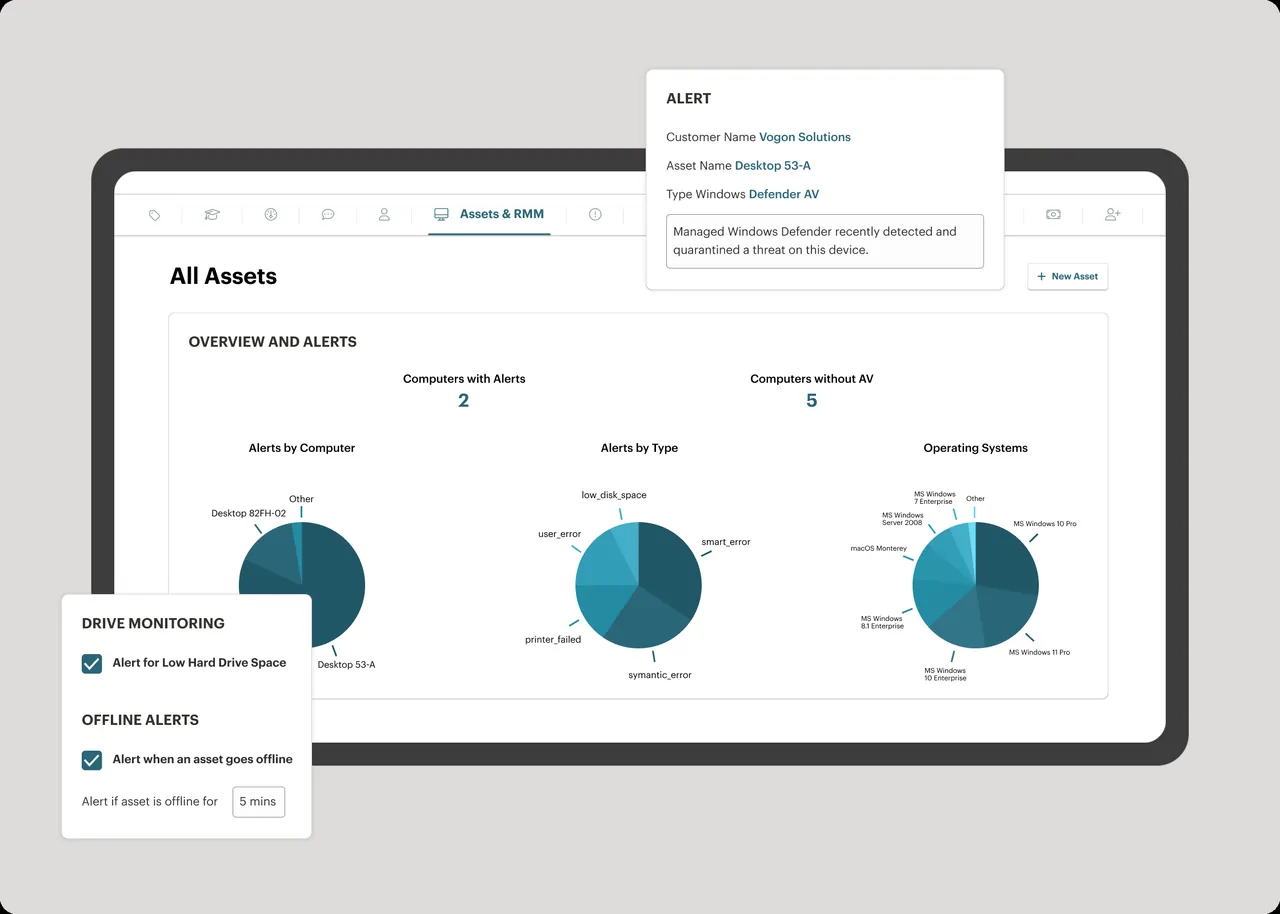
Syncro is a cloud platform combining an RMM agent with a full PSA. The agent is strongest on Windows, with macOS support available but narrower. On the RMM side you get monitoring, alerting, policy-driven Windows patch management, PowerShell scripting, a script library, asset inventory and integrated remote access. On the PSA side you get ticketing with email-to-ticket, a customer portal, contracts, prepaid hours, recurring invoices, estimates and payment processing, plus integrations with common accounting packages. Everything is organized around the customer record.
Where it earns its keep
One record from alert to invoice. A disk-space alert opens a ticket on the right customer, the technician logs time against it, and the time lands on the monthly invoice. For a small shop that does not want to maintain a PSA integration, this is the main attraction.
Per-technician pricing. Like Atera, Syncro charges per technician rather than per endpoint, which suits MSPs with many low-value workstations. Our pricing guide shows how the numbers play out at different fleet sizes.
Policy folders for onboarding. Policies can be assigned at customer or folder level, so onboarding a client is mostly generating the customer’s agent package, deploying it, and letting the policy assign monitors, patch schedules and scripts.
Scripting community. Syncro’s script library and active user community mean you rarely start automation from scratch. Treat community scripts as drafts to review, not as trusted code.
Where it falls short — and who should skip it
macOS and Linux depth. If a large part of your book of business is Mac-heavy creative agencies, the Windows-first design shows. Check the current macOS feature list against your needs before committing.
Patch management is Windows-centric. Windows updates are well covered and schedules are flexible, but third-party application patching and client-ready compliance reporting are less granular than in a dedicated tool like Action1. Many Syncro shops build their own monthly report from exported data; our patching routine guide suggests a structure.
Platform security needs your discipline. Syncro supports MFA and technician permission groups, and you should enforce MFA for every user and restrict script execution to senior technicians. An RMM with a built-in payment processor and remote access is a high-value target; our RMM security guide covers roles and audit reviews.
Switching in and out costs time. Moving into Syncro means rebuilding scripts and policies and migrating customer, contract and invoice data. Moving out later is harder, because your billing history lives there too.
Skip Syncro if you run a mature standalone PSA you have no intention of replacing, if you manage mostly macOS fleets, or if clients need detailed compliance reporting straight out of the box.
Who it suits
Syncro fits break-fix shops transitioning to managed services and small MSPs of one to ten technicians who bill monthly and want the fewest moving parts. It is a comfortable fit for shops that serve small offices, charge a mix of flat-rate agreements and hourly work, and want to stop copying time entries between systems. It also helps when the owner is still the person who sends invoices: seeing unbilled time next to open tickets each Friday makes leakage obvious, and small shops often find hours they had quietly been giving away. Larger teams with a dedicated service manager may care less about that and more about reporting depth.
Licensing and cost
Syncro prices per technician per month, and at the time of writing its model does not charge per managed endpoint. Pricing details, included features and any add-ons for extra services change over time, so check the vendor’s current pricing page before budgeting. A trial is available. When you compare, include what you would otherwise pay for a separate PSA and the integration upkeep, because that is the cost Syncro is really replacing.
How it compares
- Syncro vs Atera compares the two per-technician RMM plus PSA bundles directly.
- Against NinjaOne, Syncro is cheaper for large fleets of simple workstations but has less polish on patch reporting and cross-platform management.
- For a network layer, pair it with Auvik; for pre-onboarding asset audits, Lansweeper.
- The full field is in RMM software and Patch & Endpoint Management, scored per our methodology.
Getting it safely
Create your trial account on the vendor’s own site. The agent package is generated per customer inside your Syncro tenant; deploy it through tooling you control, confirm its digital signature on a test machine first, and never run an “agent update” received by email. Our where to get page explains how to check signatures and hashes.
FAQ
Is Syncro a real PSA or just ticketing?
It includes contracts, prepaid hours, recurring invoices, estimates and payment processing, which is a genuine PSA for small MSPs. Very complex contract structures may still outgrow it.
Does Syncro charge per endpoint?
At the time of writing it is priced per technician. Confirm current terms with the vendor, since pricing models in this market do change.
Can Syncro manage Macs?
Yes, with a narrower feature set than on Windows. Test your specific Mac workflows during the trial.
How long does a migration into Syncro take?
For a small MSP, plan several weeks: rebuilding policies and scripts, redeploying agents client by client, and importing customer and billing data.