Every MSP has lived through the onboarding where the outgoing provider hands over a “complete” asset list that turns out to be missing a third of the network: the NAS under the reception desk, two unmanaged switches, a forgotten Windows server in a cupboard. Lansweeper is the tool many teams reach for to replace that guesswork with an actual inventory. It is not an RMM and does not pretend to be one. Run a discovery scan during the first week of a new contract, on a network you’re authorized to manage, and that guesswork turns into a defensible baseline, one you can keep current as devices come and go.
Use with authorization only. Network discovery and credentialed scanning should only be run on your own networks or on client networks where you have written authorization to do so.
What Lansweeper does
Lansweeper discovers and inventories IT assets. It combines agentless scanning, using protocols such as WMI for Windows, SSH for Linux and macOS, and SNMP for network devices, with an optional lightweight agent for endpoints that rarely touch the office network. Results flow into a central inventory with hardware details, installed software, users, warranty information where available, and relationships between assets. Lansweeper also offers a cloud platform that consolidates data from multiple on-site scanning installations, which is how MSPs typically separate client sites. Passive discovery options can identify devices that do not respond to active scans.
Where it earns its keep
Onboarding audits. Run discovery during the first week of a new contract and you get a defensible baseline: what exists, what is out of warranty, what runs unsupported operating systems. Our client onboarding checklist builds the first-30-days plan around this kind of inventory.
Finding the unmanaged. Comparing Lansweeper’s discovered device list against your RMM’s enrolled agents is one of the quickest ways to find machines with no agent, which are exactly the ones that miss patches.
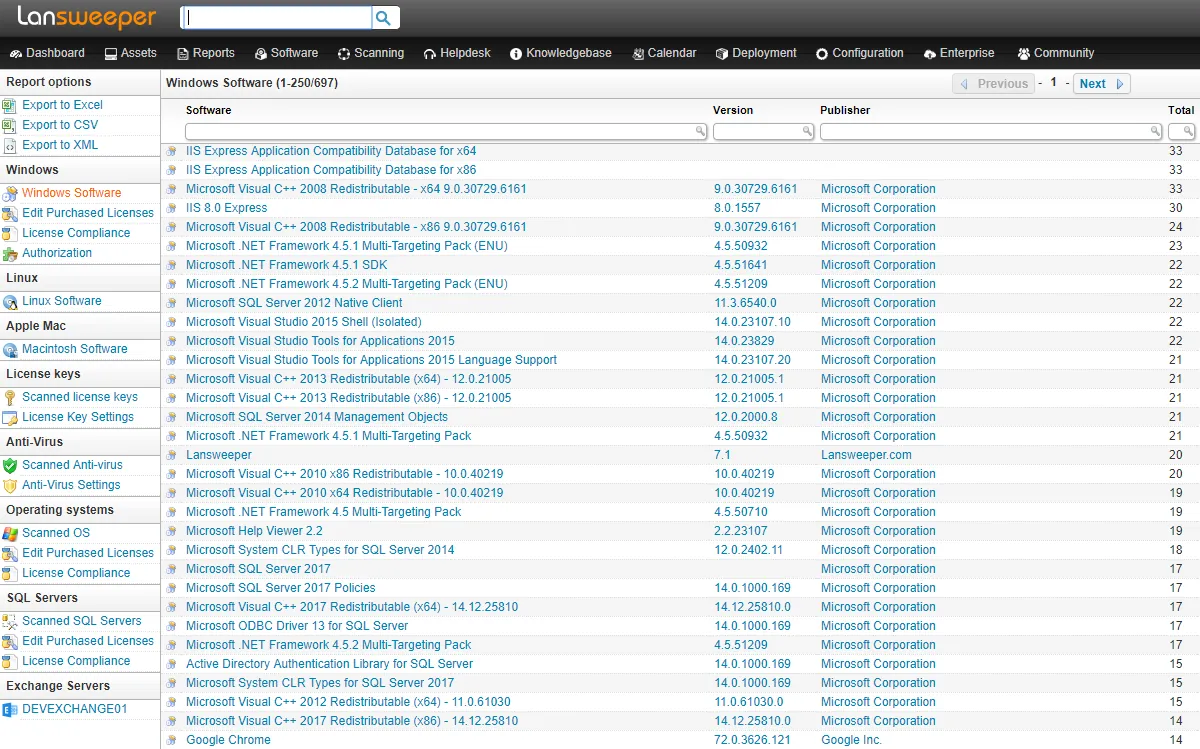
Software and license visibility. Installed software reports help answer the questions clients actually ask: how many copies of that application do we have, and who still runs the old version?
Reporting depth. Built-in reports cover common questions, and custom reports can be written for specific clients. Lifecycle and warranty reports make hardware refresh proposals much easier to justify.
Where it falls short — and who should skip it
It does not fix anything. Lansweeper tells you a machine is missing updates or running an old OS; it does not patch it, monitor its CPU, or open a remote session. You will still need an RMM such as NinjaOne or Atera, or a patching tool like Action1.
Scanning credentials are sensitive. Credentialed scans need accounts with meaningful privileges on client systems. Store them carefully, scope them to the least privilege that works, and rotate them. A compromised inventory server with domain-wide credentials is a serious incident. Our RMM security guide covers the same principles.
Per-client scanning infrastructure. Each client site generally needs its own scanning component on a machine inside the network, which adds a small onboarding task and something else to keep updated.
Pricing scales with asset count. For MSPs, cost follows the number of assets across all clients, so large but low-margin clients can make it expensive relative to the value you bill for.
Skip Lansweeper if you only need what your RMM’s own inventory already shows, or if you manage a single small office where a spreadsheet and an RMM report are genuinely enough.
Who it suits
Lansweeper suits MSPs that take on mid-sized clients with messy, undocumented networks, internal IT teams responsible for audits and license compliance, and anyone who has to present hardware lifecycle plans to management. It pairs naturally with an RMM: Lansweeper finds and describes, the RMM manages. Many MSPs also bill the initial audit as a fixed-fee onboarding project, which covers part of the licensing cost.
Licensing and cost
Lansweeper is commercial software licensed by the number of assets scanned, with tiers that add features such as extended integrations and reporting at higher levels. We are not quoting figures here; check the vendor’s current pricing page, and for MSP use ask specifically about multi-client arrangements, since per-asset totals across many small clients add up. A trial is available through the vendor’s site.
How it compares
- For network topology, device configuration backup and alerting on switches and firewalls, Auvik goes further; Lansweeper is broader across all asset types.
- For monitoring uptime and performance, PRTG is the more fitting tool.
- Endpoint management itself belongs to an RMM: see NinjaOne vs Atera.
- The Network & Asset Tools for MSPs category lists the alternatives, scored per our methodology.
Getting it safely
Start from the vendor’s own site and use a dedicated, patched server or VM inside each client network for scanning components. Verify the digital signature of any package before you run it, create dedicated scanning accounts rather than reusing domain admin credentials, and document the authorization for each client. Our where to get page covers signature and hash checks.
FAQ
Is Lansweeper an RMM?
No. It is an asset discovery and inventory platform. It complements an RMM rather than replacing it.
Does it need an agent on every device?
No. Most discovery is agentless over protocols like WMI, SSH and SNMP. An optional agent helps with laptops that are rarely on the office network.
Can I use it to audit a prospect’s network before they sign?
Only with explicit written authorization from the prospect. Scanning a network you have no permission to scan is not acceptable, even as a sales exercise.
How does it help with patch compliance?
It shows installed software and OS versions, which highlights outdated systems and machines missing from your RMM. The patching itself is done by another tool.